Assign Properties to Specifications
Learn how to define which properties are required for which specification.
Written By Stefan Hellweg
Last updated Over 1 year ago
There are two ways to add properties to specifications in LastBIM. You can manually add a property to a specification or let your specifications inherit properties from each other.
💡 All properties that you add to a specification, will automatically be inherited by all subordinate specifications.
Add properties manually to specifications
To add a property to a specification, open the specification by clicking
Openon the specification in the specification overview.In the specification select
+ Add Propertyon the top right corner of the property table.
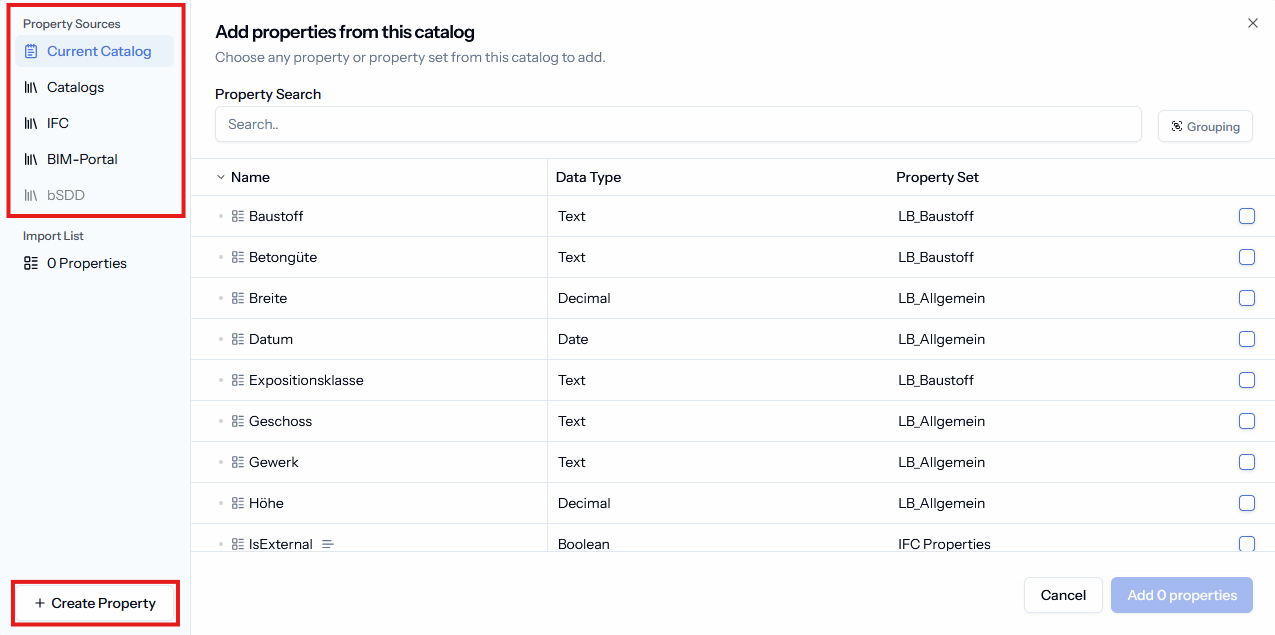
You can add properties from yourCurrent Catalog,Other Catalogs,IFCand theBIM-Portaland in future also frombSDD.When you select properties from sources other than
Current Catalogthey are imported into your current catalog and can be accessed in further specifications underCurrent Catalog.The
Import Listgives you an overview of all selected properties from all sources.
Additionally, you can create a new property on the fly if you have not done so prior. Check out Create & Update Properties, for more information on this.
How to use hierarchy for efficient property assignment
If you have properties that are shared across a group of specifications, you can use the hierarchy to inherit the properties instead of assigning those properties to each specification separately.
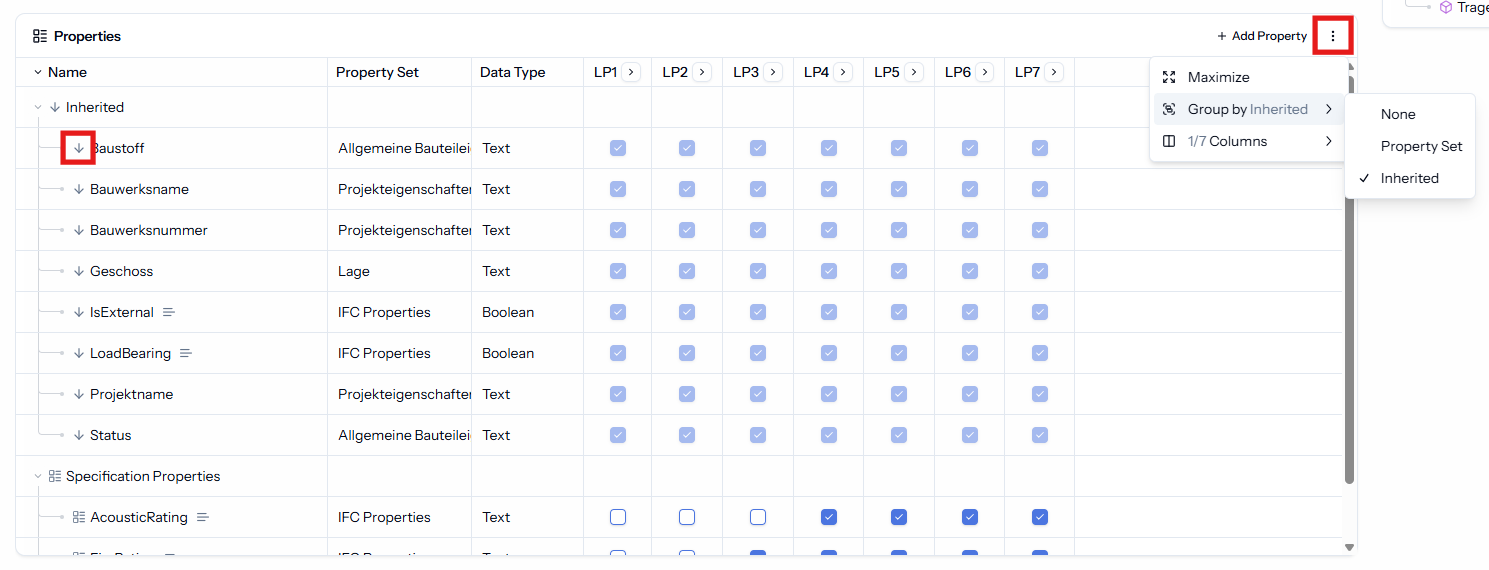
For example if every single specification needs the same properties, you can add the properties on the highest level of the specification hierarchy. The properties will be inherited to every subordinate specification. When you are in a subordinate specification the inherited properties are recognizable by the arrow next to the property name or by grouping the table by Inherited .
Was this helpful?
Still need help? Share an idea