Property Value Rules
Learn everything about managing property value rules and using the value library.
Written By Antonia Langner
Last updated 13 days ago
This article contains information for the upcoming update LastBIM 3.0 which will change how the property values are managed.
Rules
Use rules to define which values are allowed for this property. Depending on the LastBIM data type of the property, there are different value rules available. You can manage all of them in the properties dialog in the tab “Rules”.
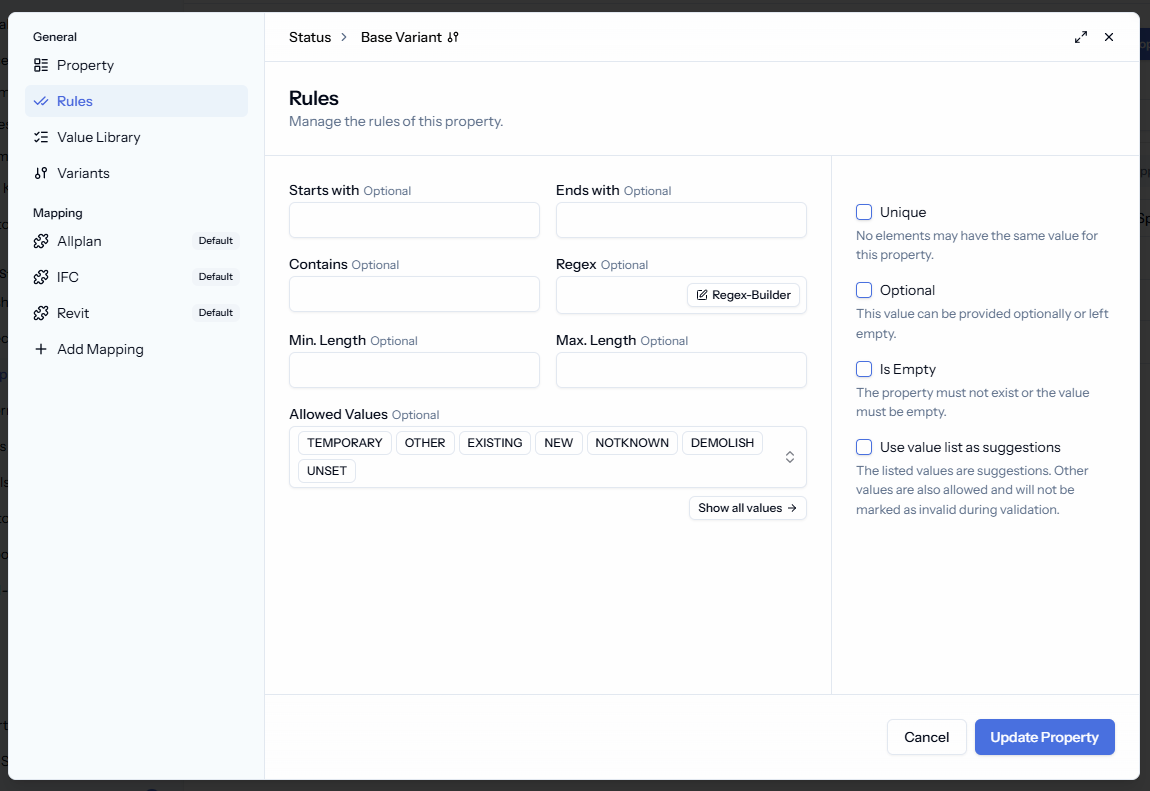
Available value rules by data type:
TextValue List, Starts With, Ends With, Contains, Regex, Min Length, Max LengthDecimal,IntegerValue List, Minimum, MaximumBooleanEqualsDateNo value rules for now
Additionally there are rules to define that values must be unique, optional or empty, that are activated via checkbox in the right sidebar.
ℹ️ Value Lists: How to use and manage them
ℹ️ Value Lists: How to use and manage them
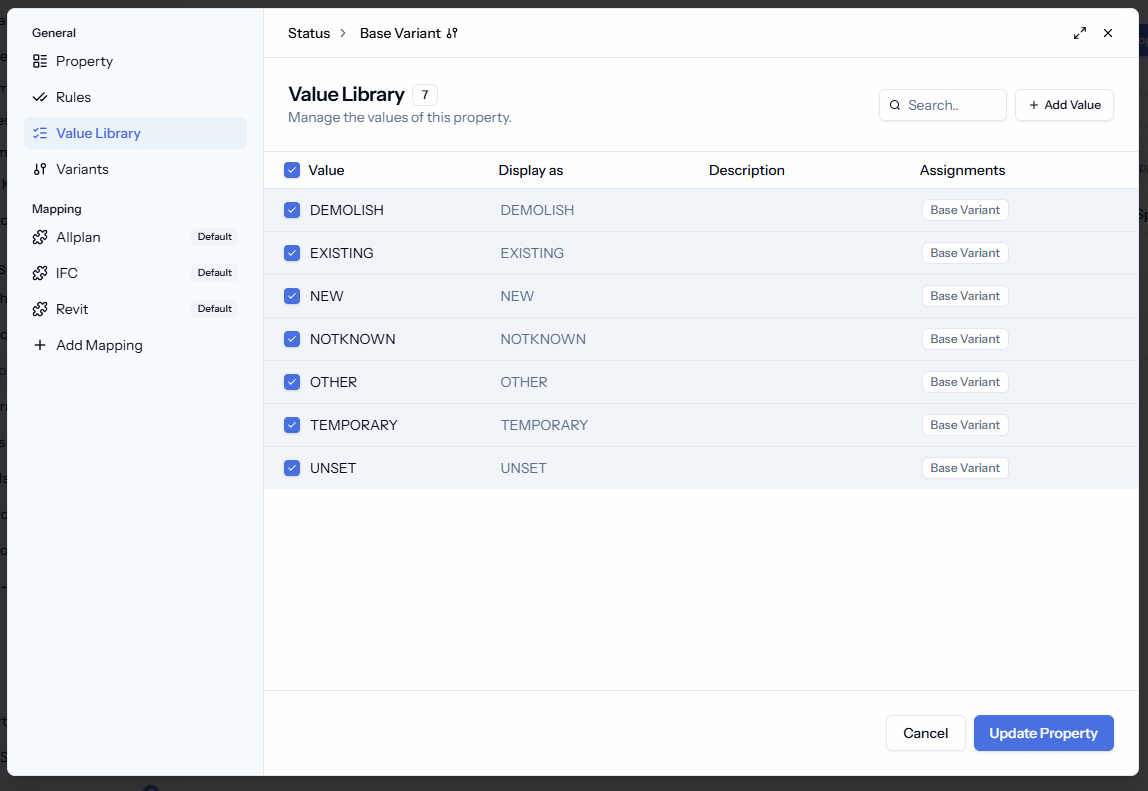
A value list contains concrete values for a property. It can be managed in the Rules Tab as well as in the Value Library. More about it in this section.
Allowed Values vs. Value Suggestions
You can decide if the value list contains the only permitted values that have to be used, or if it is a list with suggestions instead that allows any other value as well. By default the value lists define the only allowed values.
As soon as you enter values, the checkbox “Use value list as suggestion” will appear in the sidebar of the Rules tab to change the value list to suggestions instead.
ℹ️ Regex: What it is and how to use it
ℹ️ Regex: What it is and how to use it
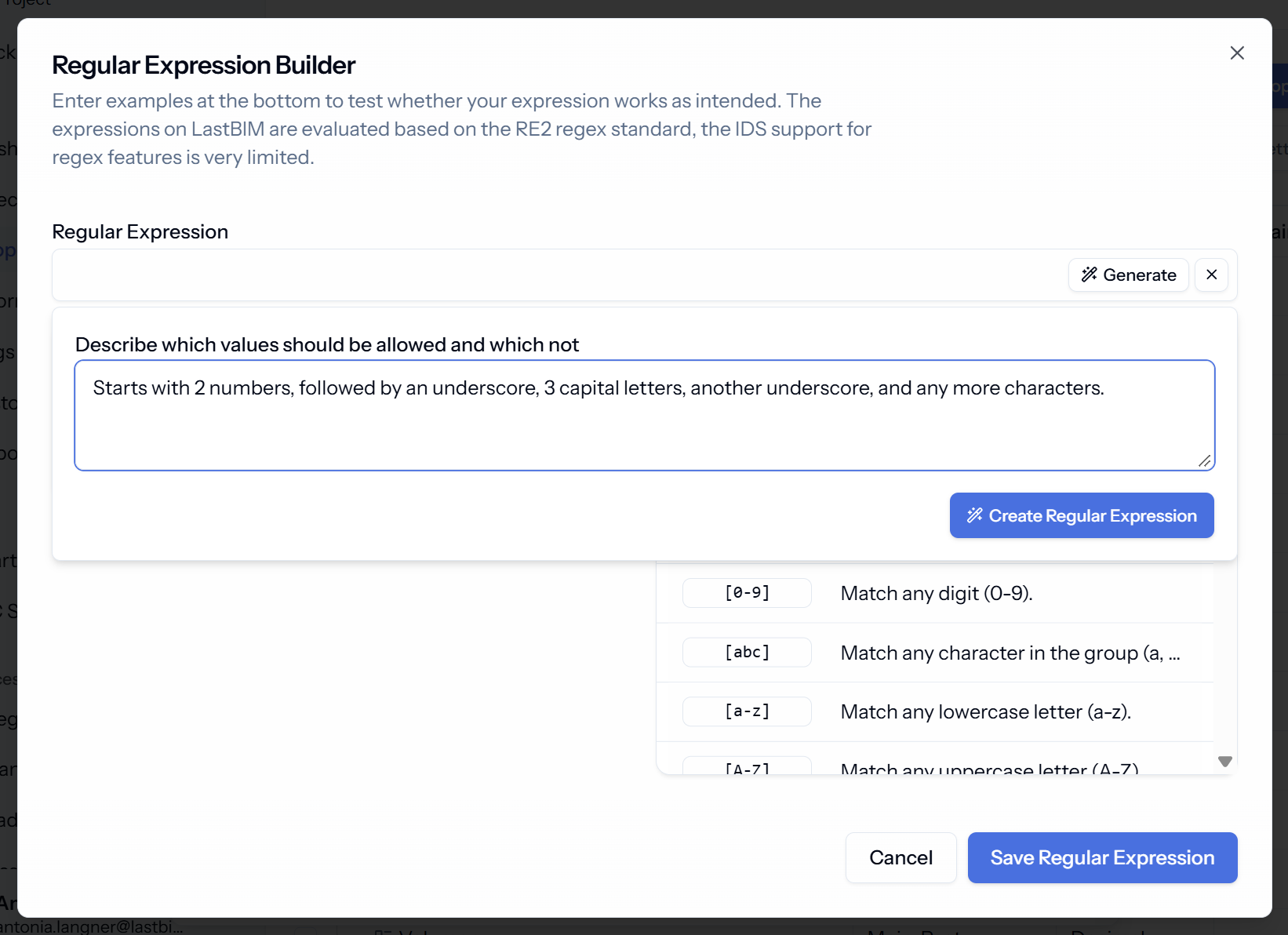
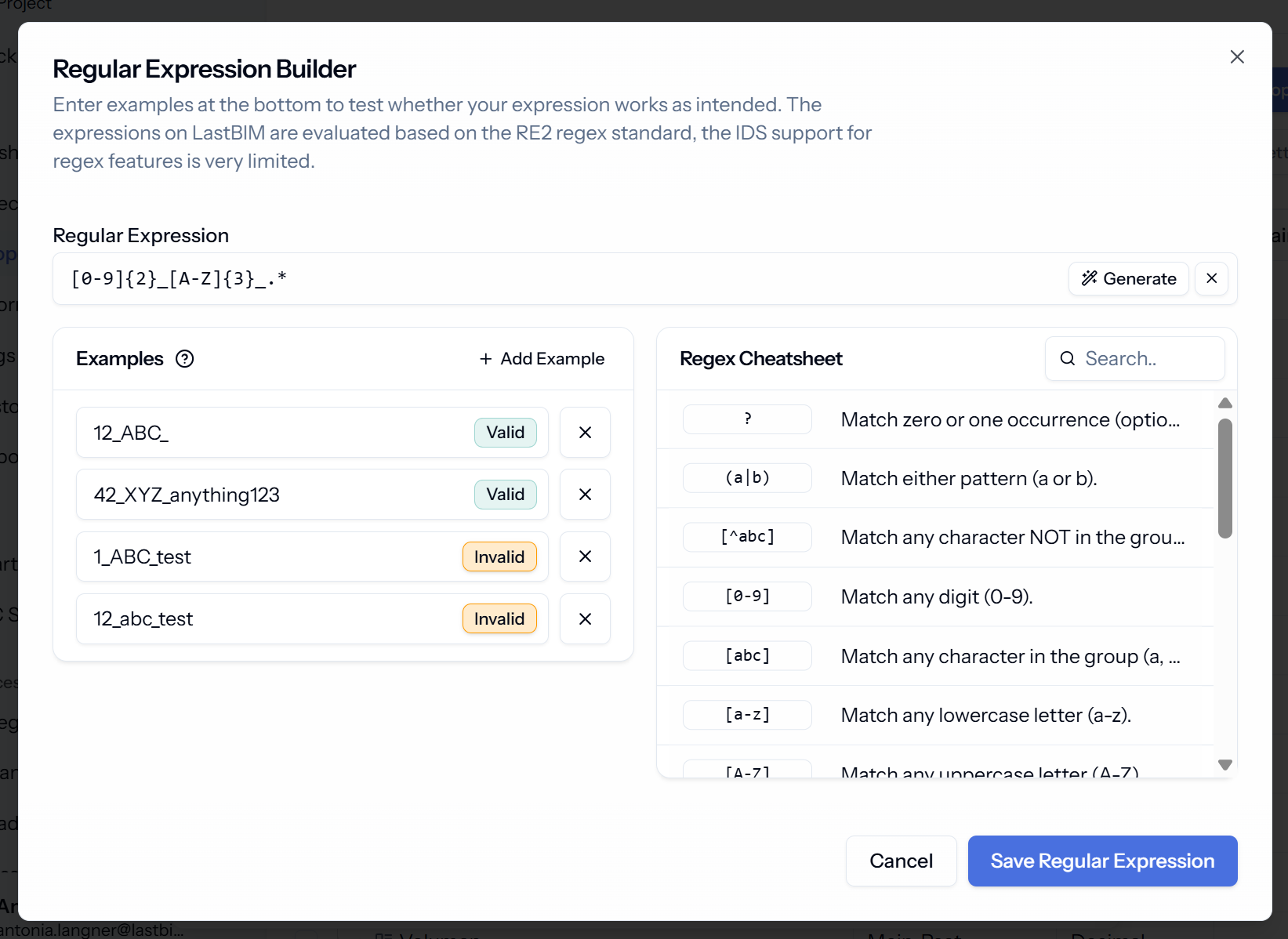
Regex (Regular Expression) can be used to describe value patterns. For example, you can describe the structure of an asset code that is 2 numbers, underscore, 3 letters, underscore, …
For that Regex uses a specific semantic. E.g. the example from above would be: [0-9]{2}_[A-Z]{3}_.*
To help you to write a valid Regex that does what you expect, there is a Regex-Builder within LastBIM:
 |  |
|---|
Override Value Rules
You can adjust the value rules of a property for each specification that it is assigned to.
If you set the the value rules on the base variant of the property, those rules will be the default rules for the property in all specifications. For specifications where the value rules need to be adjusted, you can go to the specification and use the override function to the property settings only for the current specification.
This way you can have e.g. a basic value list, that is used by default in all specifications. But for single specifications you can adjust the value list by adding specific values or remove some of the basic values.
The Value Library helps you to manage where each of the values of a value list is used (s. next section).
Read more about Overrides in this article: https://help.lastbim.com/en/articles/4903492
Rules Tab vs. Value Library
The Rules Tab summarizes all value rules for the current property variant.
The Value Library gives a more comprehensive view for the value lists. There you see all values for all variants of the property and which value is used in which variant.
Additionally, there, you can manage how the property values should be displayed to the user when using the plugin for attribution, and add a description for each value to explain how to use each value.
Was this helpful?
Still need help? Share an idea