Catalog Mappings
Learn about Catalog Mappings: What are Catalog Mappings and how can you create and manage them?
Written By Antonia Langner
Last updated 2 days ago
About Catalog Mappings
With catalog mappings you can reference properties from another catalog and project. E.g. if you have an internal standard on LastBIM where you set up all the Revit mappings with your parameter GUIDs etc. you can use the catalog mapping to reference the properties with its Revit mappings. So if you have a new catalog with the requirements from the project, you don’t have to manage all the Revit mappings again, but can simply select from your standard.
Create a Catalog Mapping
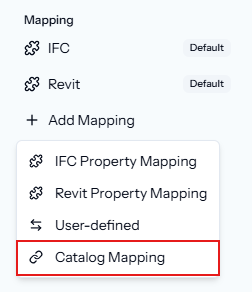
Open the Edit dialog of a property. In the sidebar in the section “Mapping” click on Add Mapping and select Catalog Mapping.
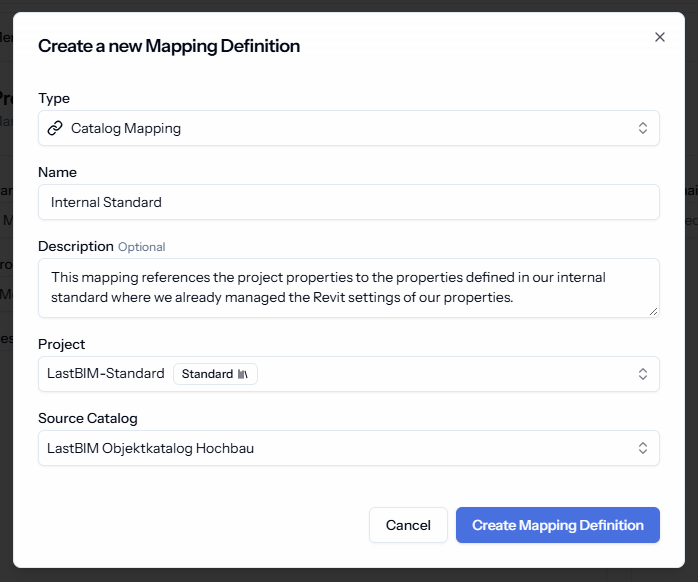
Name the mapping, like “Internal Standard”, and give it a description e.g. to explain what the mapping is used for. Select the project (or standard) that contains the catalog that you want to map to and select the catalog.
Map the Properties
You can use the property edit dialog to map a property to a property of the other catalog, or use the properties table with the bulk edit and AI suggestions or editing directly in the table.
Property Edit Dialog
Go to the mapping via the sidebar. Then, simply select from the property list.
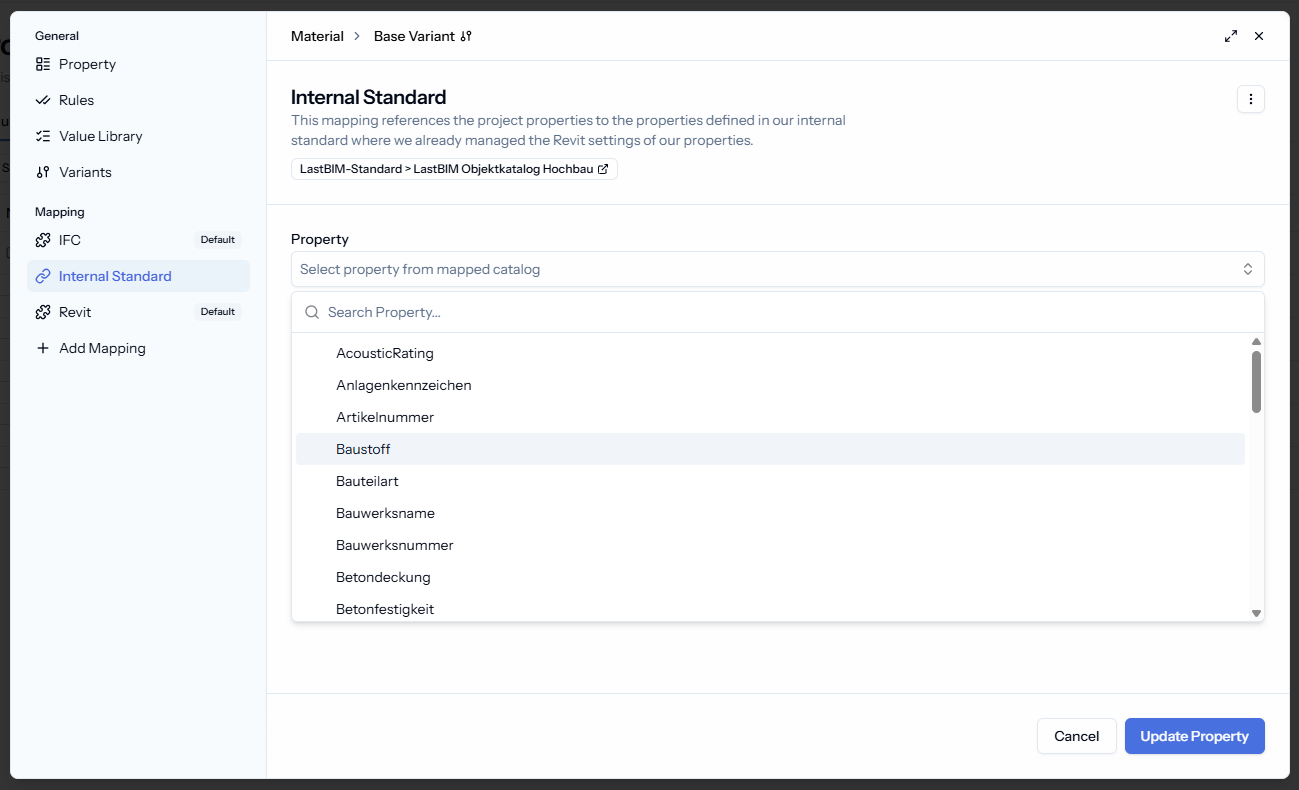
Table Edit
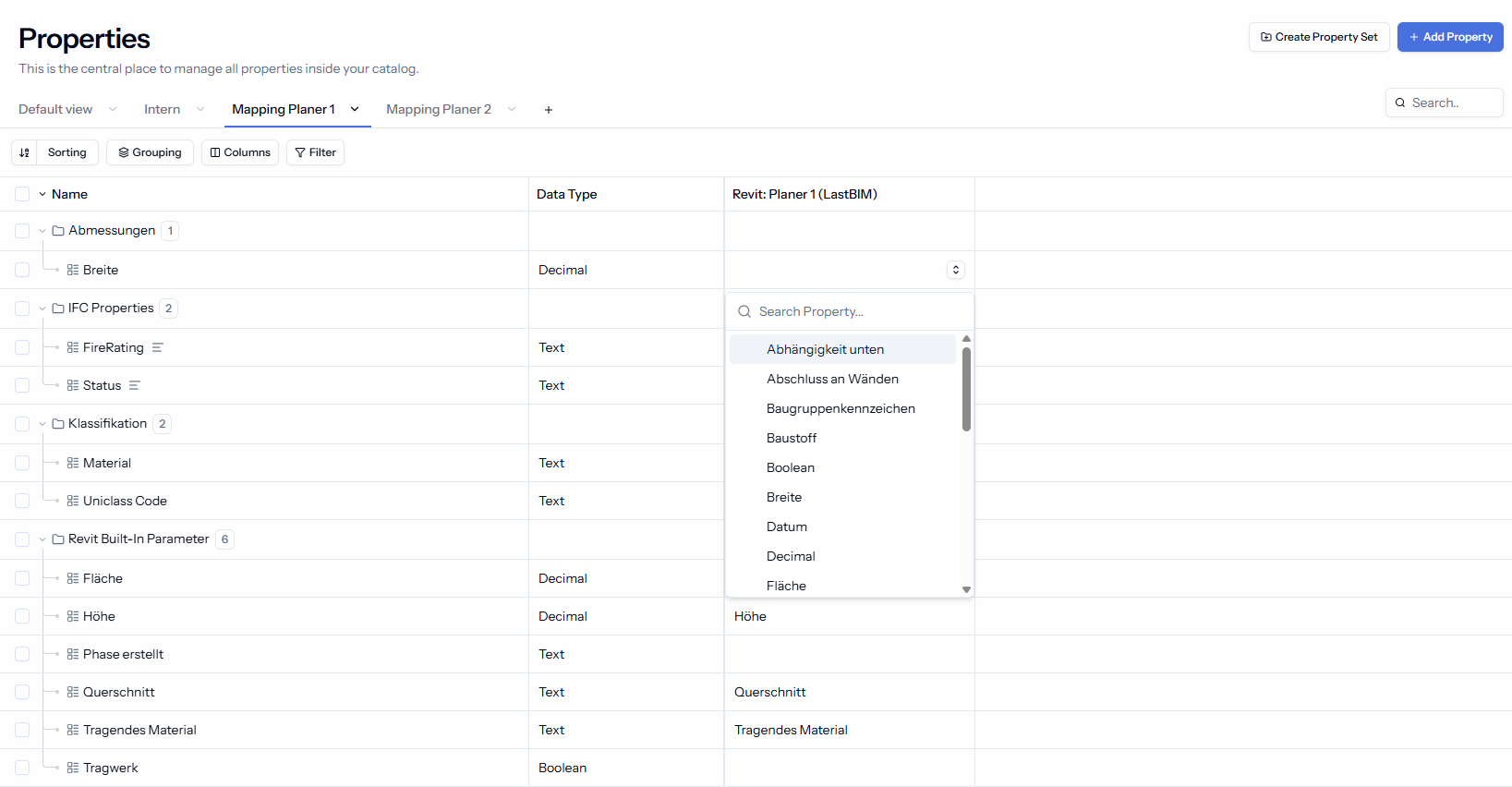
The catalog mappings are the first thing that you can edit directly in the properties table. Simply, click on the cell to open a dropdown with the properties from the other catalog.
Bulk Edit with AI Suggestions
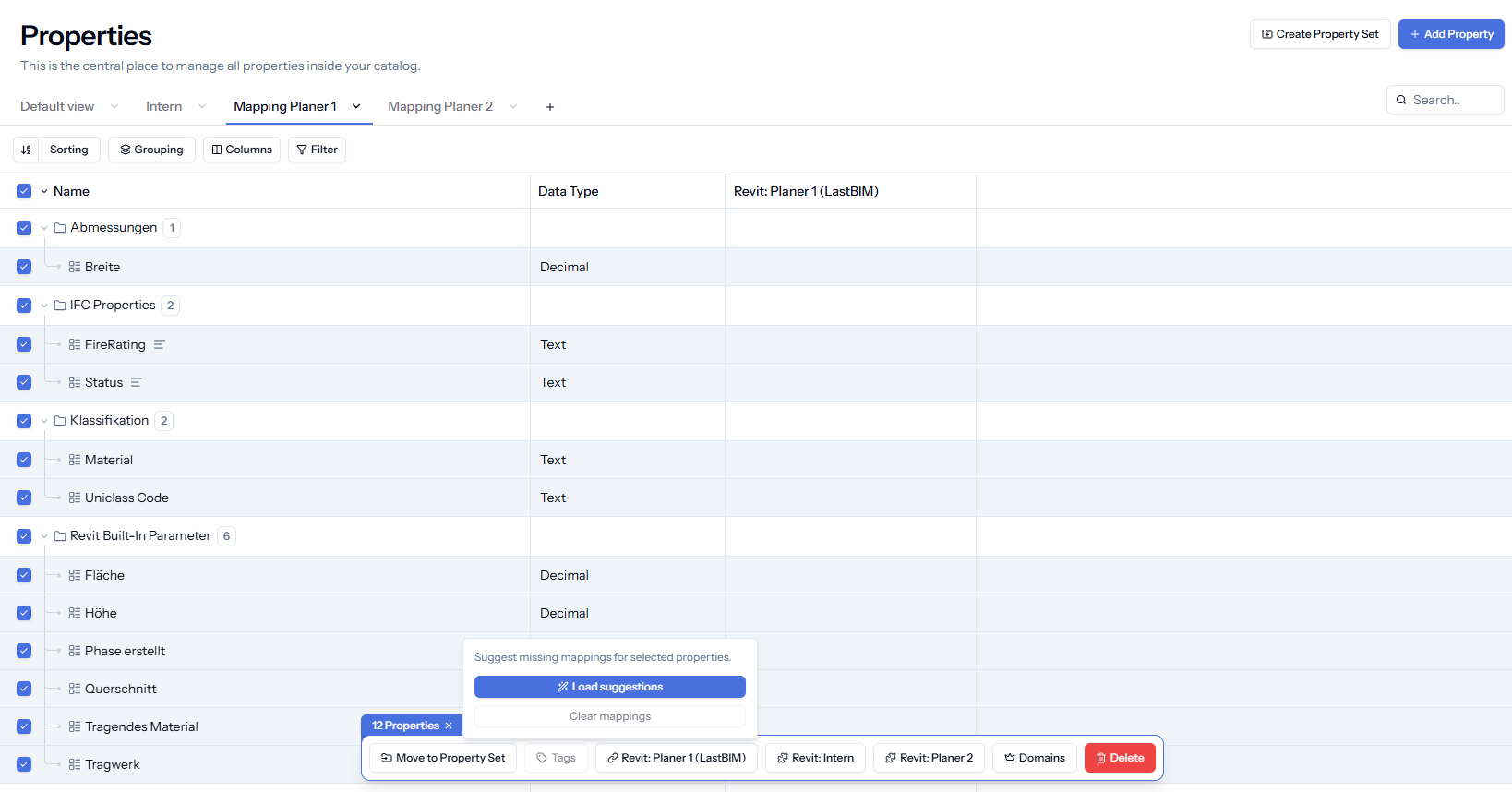
Select the properties that you want to load mapping suggestions for. Then select the mapping in the tool bar and click on Load Suggestions
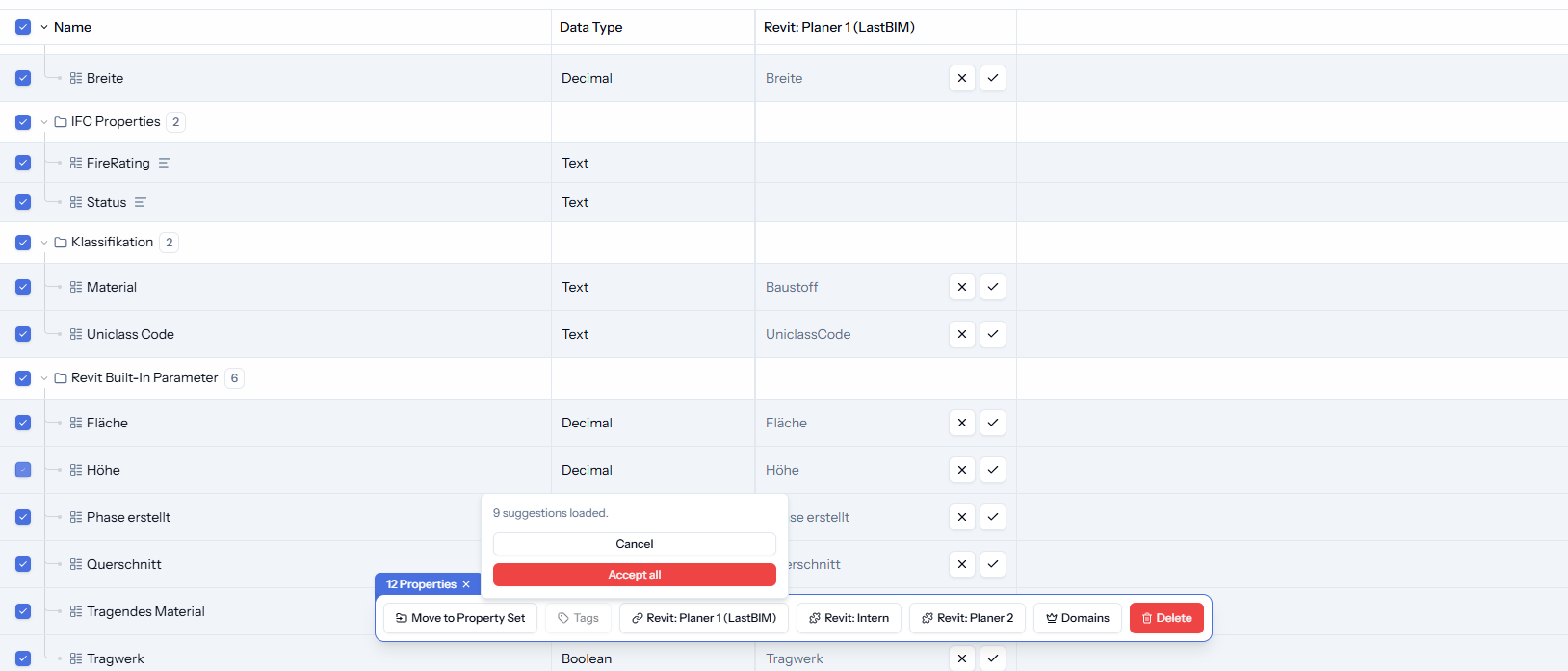
You can accept the suggestions one by one or all at once.
How to use the Catalog Mappings
Currently, the catalog mappings are not supported yet in the plugin or export formats. We will change this very soon in a next update.
In the meantime, you can already have a look at “How to use the Revit Mappings” for more information
Was this helpful?
Still need help? Share an idea