Property Detail View
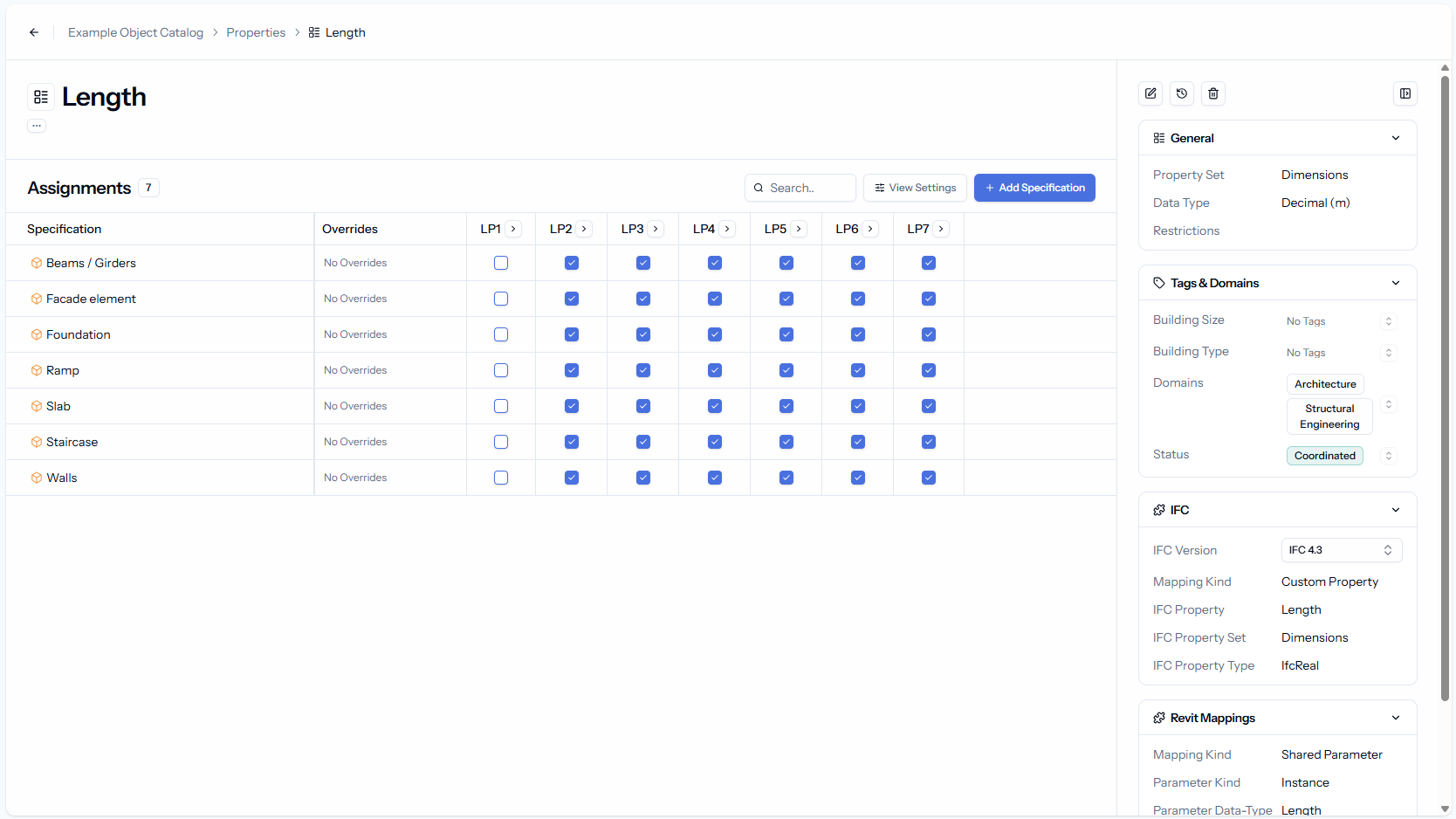
We have an exciting update to share with you: We added the property detail view, designed to to manage their information requirements in property-driven workflows and make managing properties across multiple specifications faster and more efficient!
Just like you can open specifications to view and manage their properties, you can now open properties directly from the property overview. This gives you a centralized place to view and manage assignments and settings for each property.
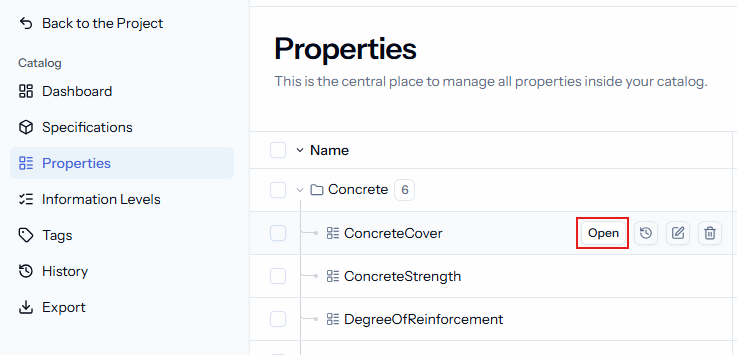
Inside the detail view, you can:
See All References: View all specifications and information levels where the property is used
Add/Remove Assignments: Easily add or remove multiple specifications and information levels for a property without navigating to each specification.
Override Insights: Check which property settings are overridden in different specifications.
Manage Settings: Adjust general settings, tags, and mappings (IFC and Revit) for the property.
This view introduces a new layout that we’ll also adopt for the specification detail view in the future:
Collapsible Sidebar: On the right, you’ll find all property details, including data type, value restrictions, tags, and IFC/Revit mappings.
More Space for Assignments: Collapse the sidebar to maximize space and focus on property assignments.