Property IFC Mappings
Learn to control how the property is supposed to be in the IFC model with the IFC property mappings.
Written By Stefan Hellweg
Last updated About 1 year ago
IFC mappings enable you to map properties on LastBIM to different parameters in IFC. They can be mapped to IFC Schema Properties & Custom Properties (Default).
To define and edit IFC mappings for a property, open the edit dialog of the property and click on IFC on the toggle button at the top.

Automatic mappings
You can toggle between manual and automatic mappings. IFC Versions marked with “Automatic” will automatically infer the mapping from the latest manual version.
When all versions are set on automatic, LastBIM will handle the property as a custom property in IFC. For this purpose, it will take the property name and data type from LastBIM for the IFC property and the property group from LastBIM as the IFC property set.
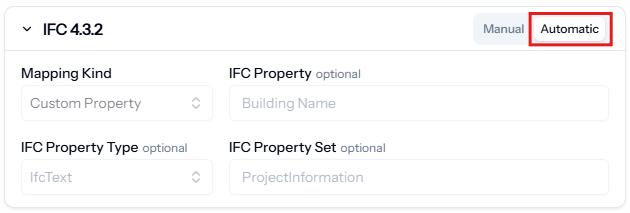
Manual mappings
There are two different kinds of mappings available: Custom Property and Schema Property.
Custom Property
This setting lets you manually define the IFC property name, IFC property set and the IFC data type. Use this setting for properties that are not part of the IFC schema.Schema Property
This setting enables you to use a property from the IFC schema (i.g. “IsExternal” or “LoadBearing”). LastBIM will handle the property set automatically based on the IFC entity of the element.
When you create a property by selecting it from the source “IFC”, the IFC mapping will be automatically set.
If nothing is set, the IFC mapping defaults to the property and property set name in LastBIM.
Supported versions
Currently we support IFC 4.3.2, IFC 4 and IFC 2×3.
You can set the IFC mappings for each IFC version separately, or only set one and let the other versions be inferred automatically.